Auto repairRyde, AU
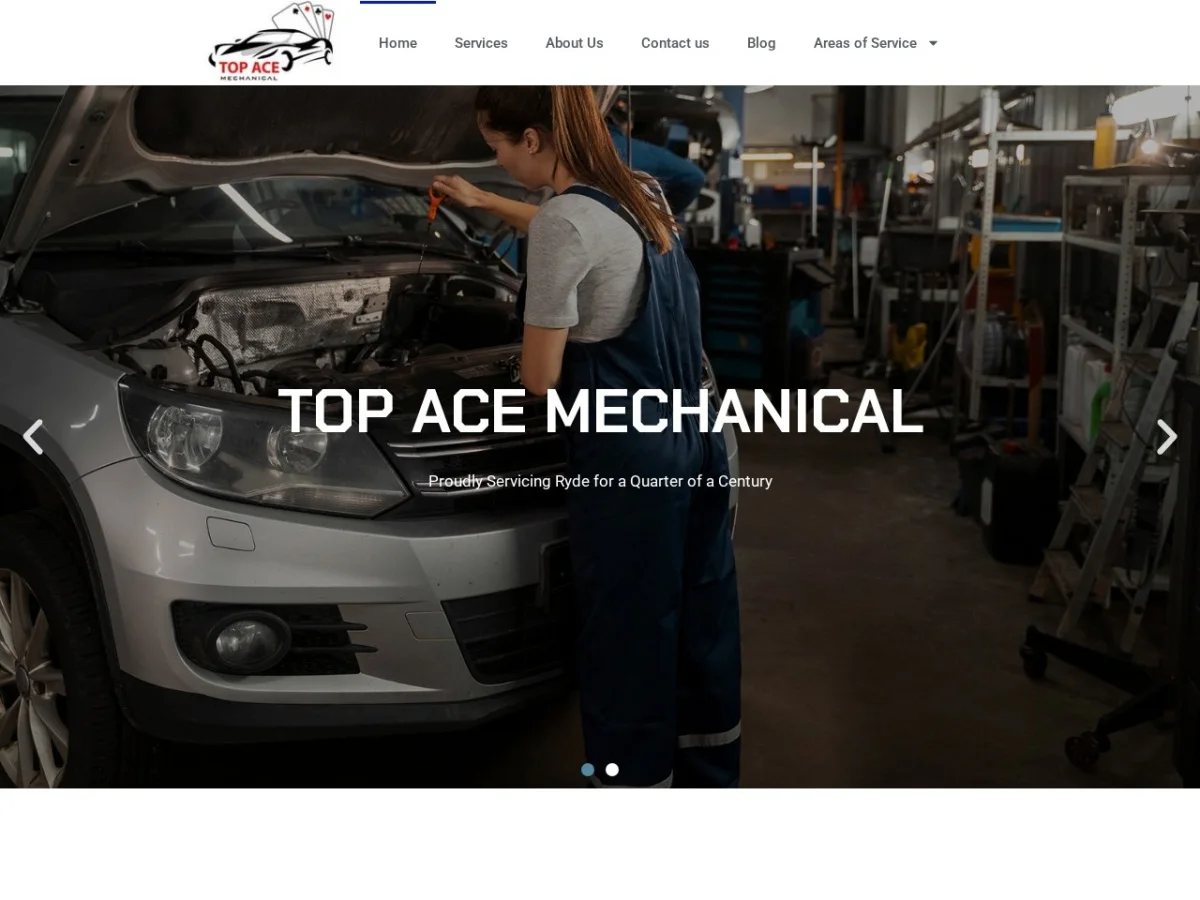
Top Ace Mechanical
A workshop site covering servicing through to smash repairs, with service areas, a map and reviews. This is the kind of clear, call-ready page we send ad traffic to.
Visit live site ↗ClickMinion plans, builds and manages Google Ads for local service businesses in the UK and Sydney, so you show up the moment someone searches for what you do, and every pound or dollar is tracked to a call or enquiry.
Insured local cleaners. Fixed monthly pricing and a dedicated team for your site.
Illustration with example figures
Most small business ad accounts we audit lose budget in the same three places. Good Google Ads management fixes all three before spending a cent more.
Broad keywords and no negative list mean you pay for job seekers, DIY questions and people outside your area.
We fix it: tight keyword themes, location targeting and weekly search term reviews.
Sending paid traffic to a general homepage makes visitors hunt for the answer. Most leave before they call.
We fix it: a focused landing page for each service, with the phone number and form up front.
Without conversion tracking, Google optimises for clicks, not customers, and you can’t see which ads bring work.
We fix it: call, form and booking tracking set up before launch, reported in plain English.
A full review of your current account or a fresh plan: wasted spend, structure, tracking and quick wins.
We find the high-intent searches your customers use and see what competitors are bidding on.
Search, Performance Max and call campaigns grouped by service and area, so budget goes where it earns most.
Headlines, descriptions, sitelinks, call and location assets written to stand out and pre-qualify clicks.
Fast, focused pages for your main services, built by our web team to turn paid clicks into enquiries.
Calls, forms and bookings tracked in Google Ads and GA4, so the algorithm learns what a real lead looks like.
We adjust bids, budgets and ad schedules to the hours and areas that bring the cheapest leads.
Search terms reviewed every week and irrelevant ones blocked, so you stop paying for clicks that never convert.
A clear monthly report on calls, leads and cost per lead, plus a call to agree next month’s priorities.
Google will happily spend your budget on loosely related searches. Each week we review what people actually typed before clicking your ad, keep the searches that bring customers and block the ones that don’t.
Urgent, local and ready-to-book searches get more budget.
Jobs, training, DIY and out-of-area searches are added as negatives.
Location targeting matched to the suburbs and cities you actually serve.
office cleaning near meKeep
cleaning jobs hiringBlocked
end of lease cleaning parramattaKeep
how to clean carpet diyBlocked
commercial cleaning quoteKeep
cleaning course online freeBlocked
Example search terms for a cleaning company.
A clear four-step process. Google needs a few weeks to learn, so we set expectations up front and show you what is happening at every stage.
Start with a free audit →We review your account, website and competitors, then agree the services, areas, budget and the cost per lead you can afford.
We set up conversion tracking, write the ads, build the campaigns and make sure each one lands on the right page.
Campaigns go live. We check search terms and placements closely while Google learns which clicks turn into customers.
We cut what doesn’t work, test new ads and move budget to the best services and areas. When cost per lead is steady, we scale.
Text ads at the top of Google when someone searches for your service in your area. The backbone of most local campaigns.
Best for: trades, cleaners, clinics and urgent services
One campaign that reaches customers across Search, Maps, YouTube, Gmail and Display, guided by your conversion data.
Best for: businesses with solid tracking and a steady lead flow
Ads built to make the phone ring, shown mainly on mobile, with calls tracked by length so only real enquiries count.
Best for: emergency and same-day services
Stay in front of people who visited your website but didn’t call yet, with ads on YouTube, Gmail and partner sites.
Best for: higher-value jobs with longer decision times
A workshop site covering servicing through to smash repairs, with service areas, a map and reviews. This is the kind of clear, call-ready page we send ad traffic to.
Visit live site ↗I was impressed with their communication and attention to detail.
Your Google Ads account, data and tracking stay in your name. We work as managers on it, and you can see everything we change, any time.
See which services, keywords and areas bring enquiries.
Every dollar of ad spend tied to the leads it produced.
Twenty minutes to review results and agree what to test next.
Example figures for illustration. Your report shows your own data.
We manage campaigns in both markets, so your budget, targeting and ad schedule match where your customers are and when they search.
We target the Sydney suburbs and postcodes you can reach profitably, schedule ads around Sydney business hours, and report cost per lead in AUD.
For UK clients we target the towns and postcode areas you serve, run ads on UK time and track every call and form, so you see what each lead costs in GBP.
Each page explains how Google Ads works for businesses in that area, with local example searches and the suburbs or towns we cover.
United Kingdom
Sydney, Australia
Anything else? Ask us on a free 30-minute call.
It depends on how competitive your service and area are. After the audit we recommend a starting budget based on typical click costs in your market, and you stay in control of the spend.
Ads can bring calls in the first week. Google usually needs four to six weeks of data to settle, and cost per lead normally improves over the first two to three months.
No. Our management is month-to-month. Your ad spend is paid straight to Google, separate from our fee.
You do. The account, billing and data stay in your name. We are added as managers, and if you ever leave, everything stays with you.
Google Ads brings leads quickly while you pay per click. SEO takes longer but builds free traffic over time. Many local businesses run ads now while SEO grows, then rebalance.
Not always. If your current pages are fast and clear, we use them. If not, our web team builds focused landing pages so you don’t pay for clicks that bounce.
Tell us about your business and current ads. Within one working day you’ll get a short audit with wasted spend, quick wins and a suggested plan.
Takes about a minute. Fields marked * are required.


Ask us anything, or leave your details and we'll handle the rest, A to Z.